
Back to Home
$addMentionableSelect
$addMentionableSelect adds a mentionable select menu to an action row. Mentionable select menus let users pick one or more users and roles from a single list.
Syntax
$addMentionableSelect[Select Menu ID;Placeholder;Min Values;Max Values;Disabled;Action Row ID]Select Menu ID: ID used to identify this menu in your command trigger.Placeholder: text shown when nothing is selected. Can be left empty.Min Values: minimum number of items that must be selected. Defaults to 1.Max Values: maximum number of items that can be selected. Defaults to 1.Disabled: set totrueto make the menu unclickable. Defaults to false.Action Row ID: ID of the action row to attach this menu to.
What happens
$addMentionableSelectcreates a mentionable select menu on the specified action row.- When clicked, it opens a list of server members and roles to choose from.
- The selected user and role IDs can be used in your command trigger.
Example 1: Single mentionable select
$addActionRow[actions]
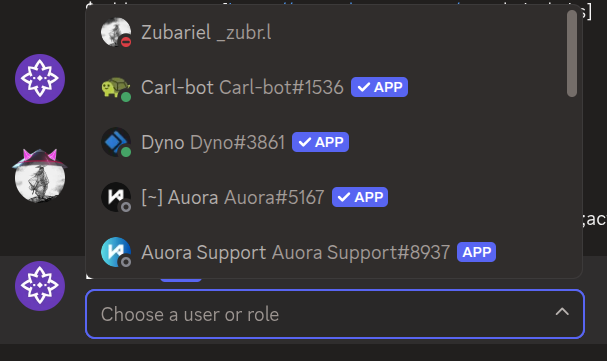
$addMentionableSelect[pickItem;Choose a user or role;1;1;;actions]What happens:
$addActionRowcreates an action row.$addMentionableSelectadds a mentionable select menu that lets users pick one item.
The menu shows "Choose a user or role" as placeholder text.
Example 2: Multi-select with no placeholder
$addActionRow[actions]
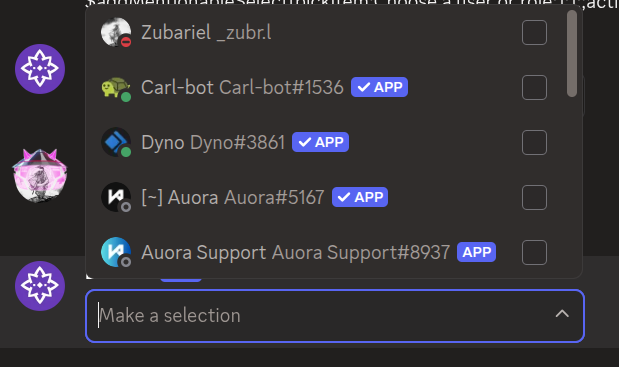
$addMentionableSelect[pickItems;;1;5;;actions]What happens:
$addActionRowcreates an action row.$addMentionableSelectadds a mentionable select menu that lets users pick up to five items.
The menu has no placeholder text and allows multiple selections.
Common uses
- Selecting targets where both users and roles are valid options
- Building flexible permission or mention systems
See also
- $addActionRow: to create the action row for the menu
- $addUserSelect: for selecting users only
- $addRoleSelect: for selecting roles only